
Widget Structure
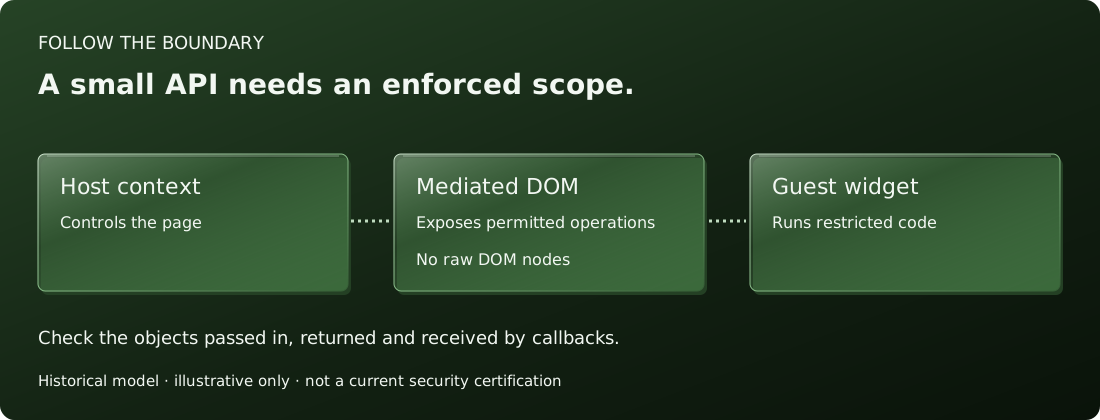
An ADsafe widget pairs an HTML fragment with JavaScript that receives limited access to that fragment.
Define the permitted subtree
The historical widget format uses a containing div with a unique identifier. Widget code receives an interface to the subtree rooted there, rather than direct access to the page's document object. The host supplies the runtime and decides which services to expose.
The documented identifier convention uses uppercase ASCII letters and a trailing underscore for the root, such as EXAMPLE_. Other identifiers inside the fragment must also be uppercase and begin with the same prefix. The page builder remains responsible for uniqueness across the whole document.
Starting a widget
The ADSAFE.go call identifies the widget and passes a callback. Its dom parameter is the mediated document interface. This small example illustrates the shape; it is displayed as text and does not run on this page.
<div id="EXAMPLE_">
  <p>A guest widget</p>
  <script>
    ADSAFE.go("EXAMPLE_", function (dom) {
      "use strict";
      dom.q("p").value("Hello from the widget.");
    });
  </script>
</div>
Language checks and runtime work together
The original workflow used JSLint's ADsafe checks to restrict guest code. Giving the same callback unrestricted JavaScript would not reproduce that model. The documented restrictions prohibit direct use of globals such as window and document, as well as features that could recover broader authority.
Approved libraries
The multi-script form starts with ADSAFE.id, loads approved library files, then ends with ADSAFE.go. Libraries register through ADSAFE.lib. The library interface is part of the host's trust boundary and needs review alongside the runtime.
Continue to the DOM API guide or inspect the historical template pattern.
Sources: original widget documentation and widget template.